Fetch Disabled Entra Service Principals With No Owners Using PowerShell
Service principals in Microsoft Entra ID represent applications and services that interact with your environment. While monitoring all service principals is important, a critical risk scenario emerges when a service principal is:
- ❌ Disabled, AND
- ❌ Has no assigned owners
These identities are:
- Unmanaged
- Unmonitored
- Potentially forgotten
- Risky if re-enabled without review
👉 Such service principals should be identified and reviewed immediately as part of your security and governance strategy.
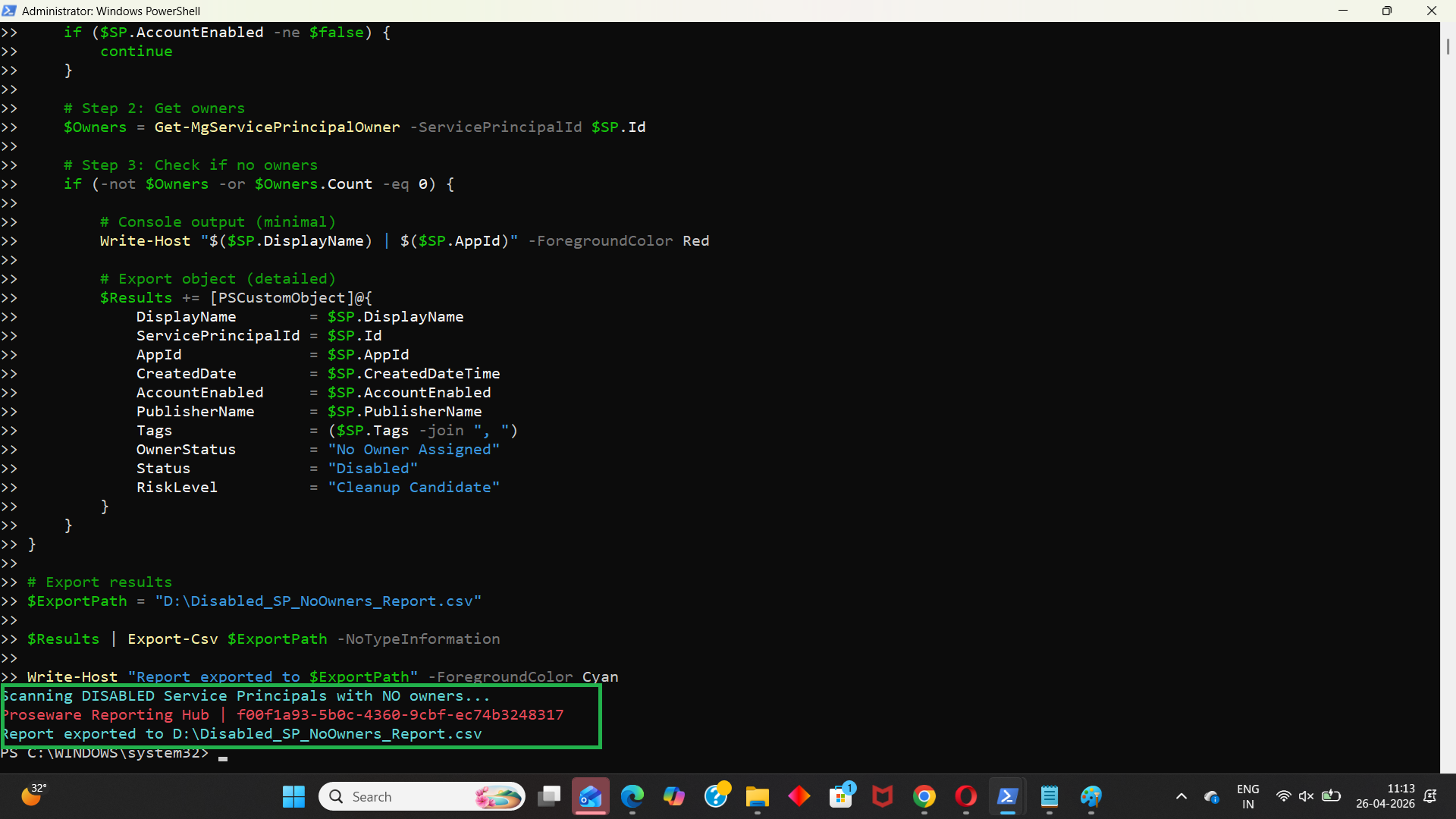
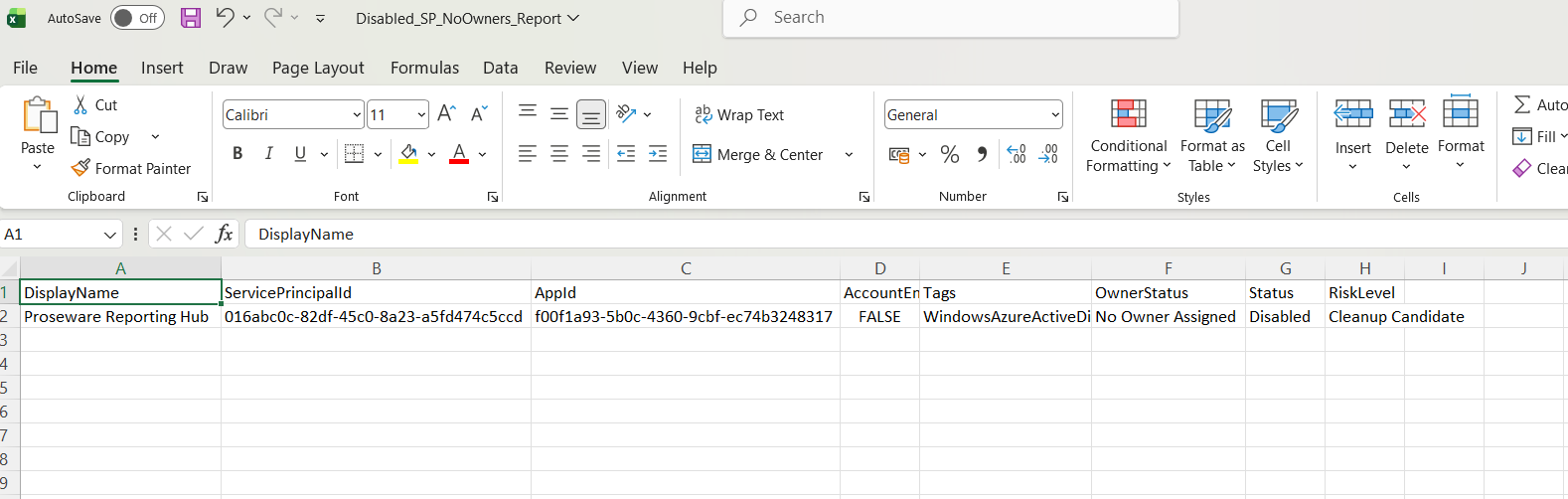
This script helps administrators detect disabled Entra service principals with no owners and export the results into a CSV report.
🚀 Community Edition Released!
Try the M365Corner Microsoft 365 Reporting Tool — your DIY pack with 20+ out-of-the-box M365 reports for Users, Groups, and Teams.
The Script
# Connect to Microsoft Graph
Connect-MgGraph -Scopes Application.Read.All, Directory.Read.All

Write-Host "Scanning Service Principals with NO owners..." -ForegroundColor Cyan

# Get all service principals
$ServicePrincipals = Get-MgServicePrincipal -All -Property Id,DisplayName,AppId,CreatedDateTime,AccountEnabled,Tags

$Results = @()

foreach ($SP in $ServicePrincipals) {

    # Get owners
    $Owners = Get-MgServicePrincipalOwner -ServicePrincipalId $SP.Id

    if (-not $Owners -or $Owners.Count -eq 0) {

        # Console output (minimal)
        Write-Host "$($SP.DisplayName) | $($SP.AppId)" -ForegroundColor Red

        # Export object (detailed)
        $Results += [PSCustomObject]@{
            DisplayName        = $SP.DisplayName
            ServicePrincipalId = $SP.Id
            AppId              = $SP.AppId
            CreatedDate        = $SP.CreatedDateTime
            AccountEnabled     = $SP.AccountEnabled
            Tags               = ($SP.Tags -join ", ")
            OwnerStatus        = "No Owner Assigned"
        }
    }
}

# Export results
$ExportPath = "D:\SP_No_Owners_Report.csv"

$Results | Export-Csv $ExportPath -NoTypeInformation

Write-Host "Report exported to $ExportPath" -ForegroundColor Cyan
How the Script Works
| Step | Description |
|---|---|
| Connect to Graph | Authenticates using Application.Read.All and Directory.Read.All |
| Fetch Service Principals | Retrieves all service principals using Get-MgServicePrincipal -All |
| Loop Through Each SP | Iterates through each service principal |
| Get Owners | Retrieves owners using Get-MgServicePrincipalOwner |
| Identify No Owner SPs | Filters service principals with no owners |
| Console Output | Displays orphaned service principals |
| Build Report | Stores service principal details in structured format |
| Export Results | Exports report to CSV |
Further Enhancements
| Enhancement | Description |
|---|---|
| Filter Disabled Only | Add condition to include only AccountEnabled = false |
| Add Permissions Info | Include API permissions for deeper risk analysis |
| Add Last Sign-In | Identify inactive vs recently used service principals |
| Risk Classification | Tag as "Critical" if disabled + no owner |
| Auto-Remediation | Flag or assign owners automatically |
Frequently Asked Questions
| Question | Answer |
|---|---|
| Why is this scenario risky? | Disabled + no owner means no accountability and potential misuse |
| Are disabled service principals harmless? | Not always, especially if re-enabled |
| Can service principals exist without owners? | Yes, but it is not recommended |
| Should these be deleted immediately? | No, review usage before taking action |
| Does this script only fetch disabled SPs? | No, it fetches all SPs without owners (enhancement needed for disabled-only filter) |
Admin Usecases
| Use Case | Description |
|---|---|
| Security Audit | Identify unmanaged identities |
| Governance Review | Ensure all service principals have owners |
| Risk Detection | Detect orphaned identities |
| Compliance Checks | Meet audit requirements |
| Cleanup Activities | Remove or remediate unused service principals |
Possible Errors & Solutions
| Error | Cause | Solution |
|---|---|---|
| Insufficient privileges | Missing Graph permissions | Use Application.Read.All and Directory.Read.All |
| Cmdlet not recognized | Graph module not installed | Install using Install-Module Microsoft.Graph |
| Access token expired | Session timeout | Reconnect using Connect-MgGraph |
| Slow execution | Large tenant | Use filtering or batching |
| Empty results | No matching service principals | Verify tenant data |
Conclusion
Service principals that are both disabled and without owners represent a critical governance gap in Microsoft Entra ID. These identities often go unnoticed, increasing the risk of mismanagement or accidental reuse.
This Microsoft Graph PowerShell script provides a practical way to identify such orphaned service principals and export the findings for review. By regularly auditing these identities, administrators can improve:
- Security posture
- Governance practices
- Identity lifecycle management
Incorporating this script into routine audits ensures a cleaner, safer, and well-managed Entra environment.