Microsoft 365 Free Reporting Tool – Teams Without Description Report
In a well-governed Microsoft Teams environment, every Team should clearly communicate its purpose. One simple but powerful way to achieve this is through a meaningful Team description.
Yet in many tenants, Teams are created without descriptions — making it difficult for admins and users to understand their purpose.
The Teams Without Description Report, available in the M365 Free Reporting Tool, helps administrators instantly identify Teams missing descriptions — without manual inspection or PowerShell scripting.
Why Do Teams Without Description Exist?
Teams without descriptions often exist because:
- Users skip the description field during creation
- No governance policy enforces descriptions
- Rapid Team creation during projects or events
- Legacy Teams created before standards were defined
While this may seem minor, missing descriptions can cause:
- Confusion about Team purpose
- Duplicate Teams with similar names
- Governance and audit challenges
- Poor discoverability
In growing environments, identifying and correcting these gaps becomes important.
How to Generate Teams Without Description Report?
Let’s examine the available options — and their limitations.
- Using Microsoft 365 Admin Center
- No filter for missing description
- No reporting view
- Manual Team-by-Team inspection required
- Using Microsoft Teams Admin Center
- No filter for Teams without description
- Requires manual review of each Team
- No consolidated export
- Using Graph PowerShell
- Retrieves Teams-enabled groups
- Checks the Description property
- Filters where description is null or empty
- Exports the results
- Requires Graph and PowerShell knowledge
- Script logic must be maintained
- Manual formatting and export required
- Not ideal for quick governance checks
- Using M365Corner Microsoft 365 Free Reporting Tool (Recommended)
- No scripts required
- Exclusive listing of Teams missing descriptions
- Instant visibility for governance cleanup
- One-click CSV export
- Clean, consistent UI
The Microsoft 365 Admin Center does not provide a way to identify Teams without descriptions.
❌ Limitations
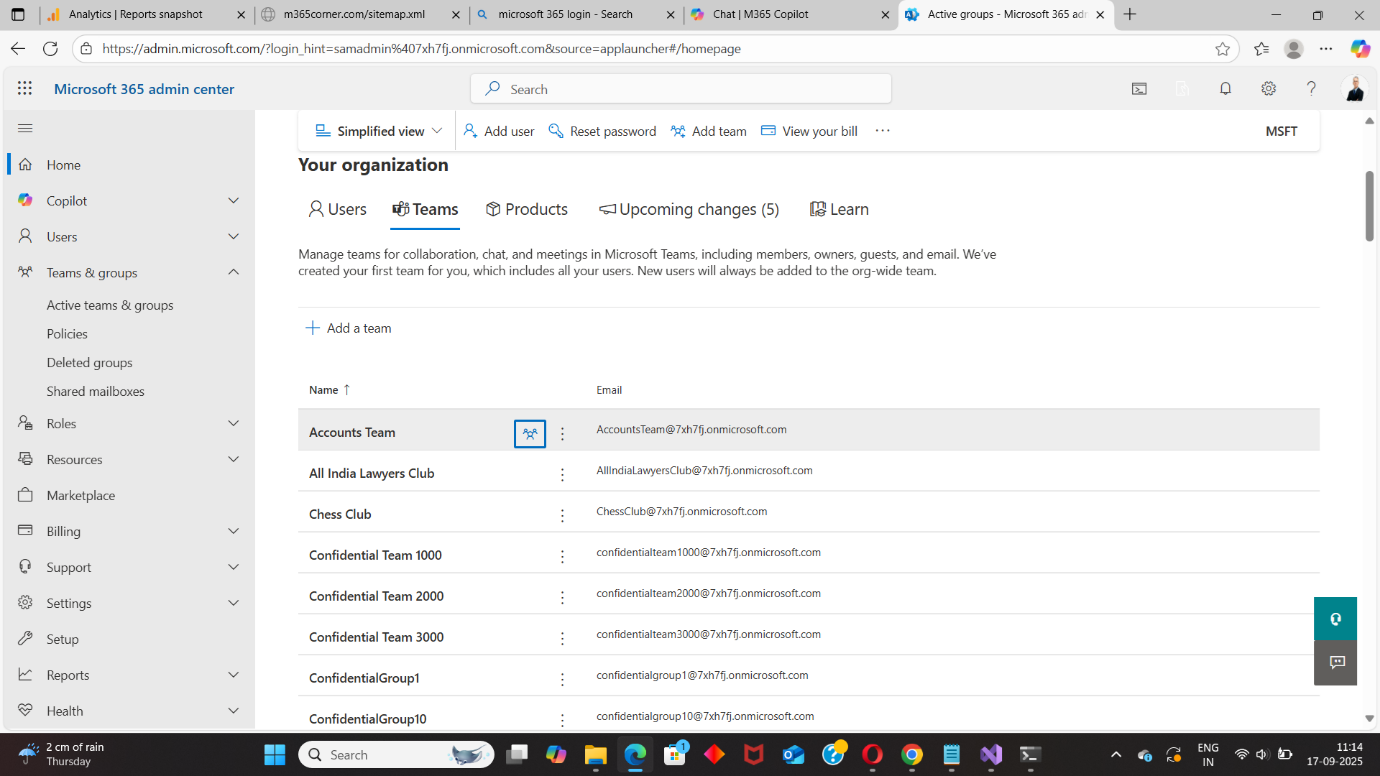
This makes it impractical in larger tenants.
The Microsoft Teams Admin Center shows Team properties, including description — but only individually.
❌ Limitations
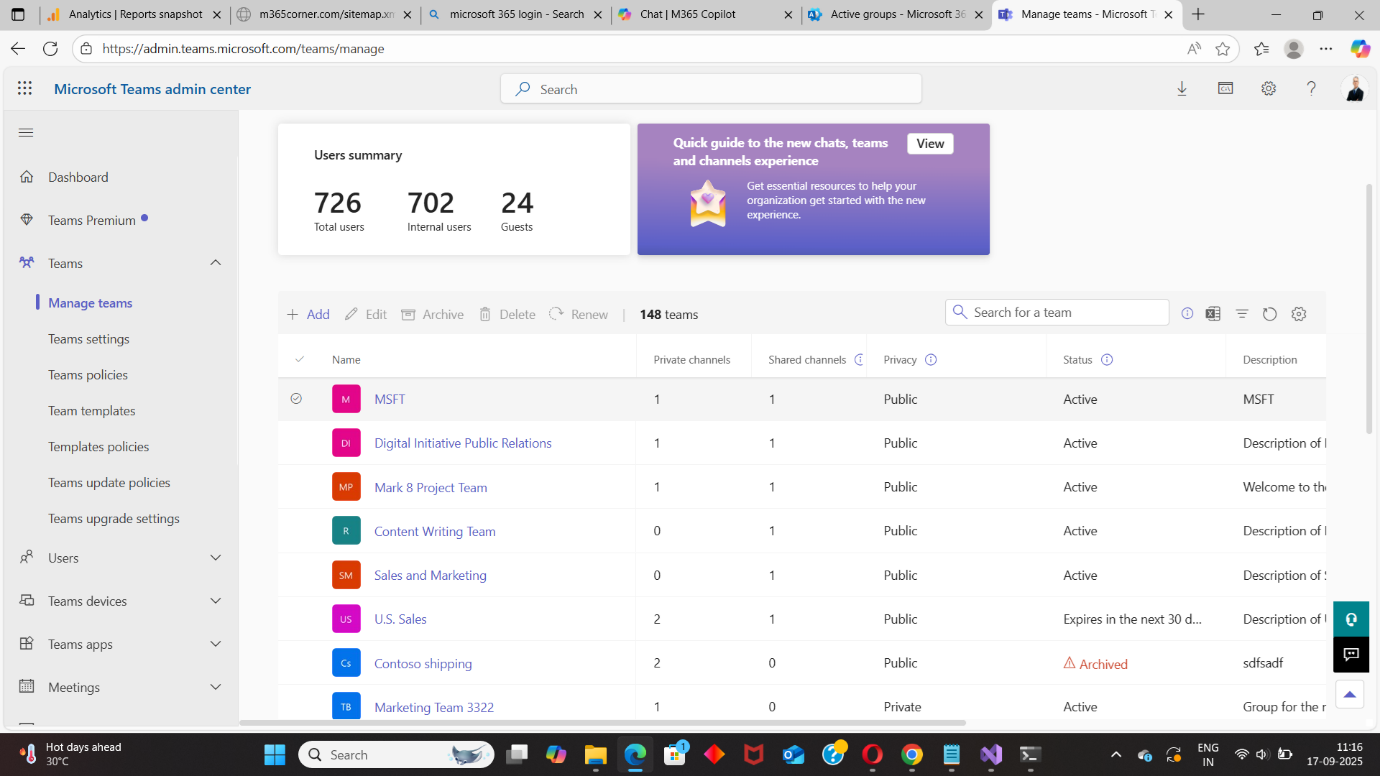
Again, this approach does not scale.
Graph PowerShell allows administrators to programmatically retrieve Teams and filter those with empty descriptions.
📘 Reference Script: https://m365corner.com/m365-powershell/email-teams-without-description-graph-powershell.html
This approach typically:
⚠️ Downsides of PowerShell
While powerful, this method adds unnecessary complexity for a straightforward requirement.
With the M365Corner Microsoft 365 Free Reporting Tool, generating the Teams Without Description Report is effortless.
👉 You can generate the Microsoft Teams Without Description Report at the click of a button.
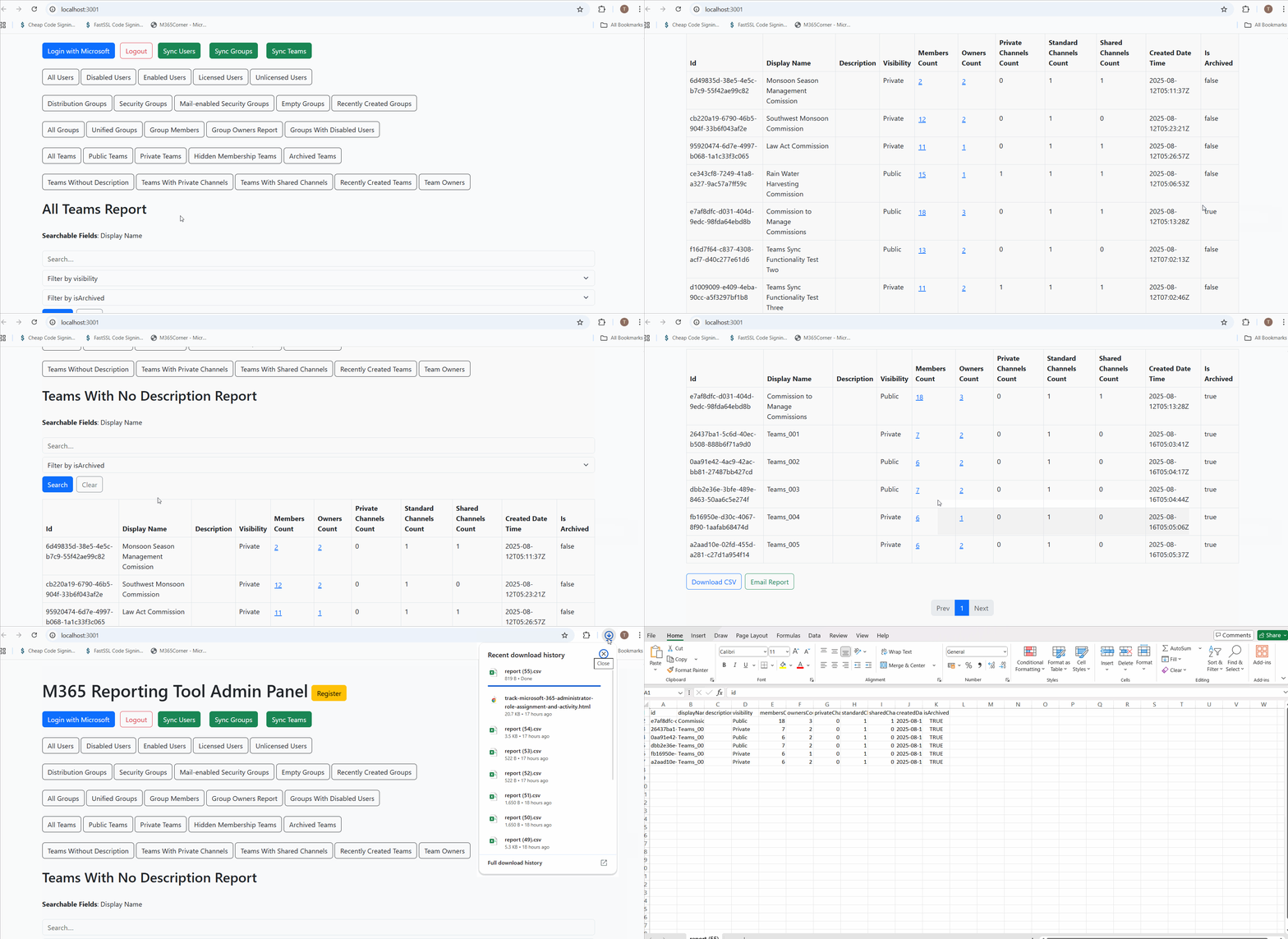
Why this helps admins
This dramatically quickens reporting, giving administrators immediate clarity into Teams that require updates — helping improve structure, clarity, and governance.
Explore Teams Without Description Report
- 🔗 Learn More About Teams Without Description Report
- 🔗 Explore All Reports in the M365 Free Reporting Tool
- 🔗 Download the Community Edition
https://m365corner.com/m365-free-tools/microsoft-teams-without-description-report.html
Understand what the report includes and how it supports Teams governance.
https://m365corner.com/m365-free-tools/m365corner-reporting-tool.html
Discover all reports available in the M365 Free Reporting Tool.
https://github.com/m365corner/m365corner-reporting-tool-community-edition.git
Start using the M365 Free Reporting Tool Community Edition today.
The M365 Free Reporting Tool transforms minor governance gaps into actionable insights — replacing manual checks and scripting with clear, centralized visibility into your Microsoft Teams environment.
Did You Know? Managing Microsoft 365 applications is even easier with automation. Try our Graph PowerShell scripts to automate tasks like generating reports, cleaning up inactive Teams, or assigning licenses efficiently.
Ready to get the most out of Microsoft 365 tools? Explore our free Microsoft 365 administration tools to simplify your administrative tasks and boost productivity.