Microsoft 365 Free Reporting Tool – Teams With Shared Channels Report
Shared channels in Microsoft Teams allow organizations to collaborate across teams and even across tenants without requiring users to switch Teams. While this capability improves collaboration, it also introduces new governance considerations. Admins often need to answer an important question: Which Teams in my tenant contain Shared Channels?
Unfortunately, identifying this information using native Microsoft admin tools is not straightforward. The Teams With Shared Channels Report, available in the M365 Free Reporting Tool, provides instant visibility into Teams that contain shared channels—without scripting or manual filtering.
How to Generate Teams With Shared Channels Report?
Let’s review the available approaches and their limitations.
- Using Microsoft 365 Admin Center
- No support for identifying Teams with Shared Channels
- No reporting capability for channel types
- No filtering or export option
- Using Microsoft Teams Admin Center
- Add the Shared Channels column to the Teams list.
- Teams without shared channels are still included in the results
- The shared channels column may show 0, requiring manual filtering
- No way to display only Teams with shared channels
- No clean reporting view
- Using Graph PowerShell
- Retrieves all Teams-enabled groups
- Fetches channels for each Team
- Filters channels where MembershipType = shared
- Outputs only Teams that contain shared channels
- Requires Graph and PowerShell knowledge
- Multiple API calls per Team
- Script maintenance required
- Manual CSV export and formatting
- Using M365Corner Microsoft 365 Free Reporting Tool
- No scripts required
- Exclusive listing of Teams that contain shared channels
- Clear visibility into cross-team collaboration spaces
- One-click CSV export
- Clean and consistent UI
The Microsoft 365 Admin Center does not provide visibility into shared channel usage within Teams.
❌ Limitations
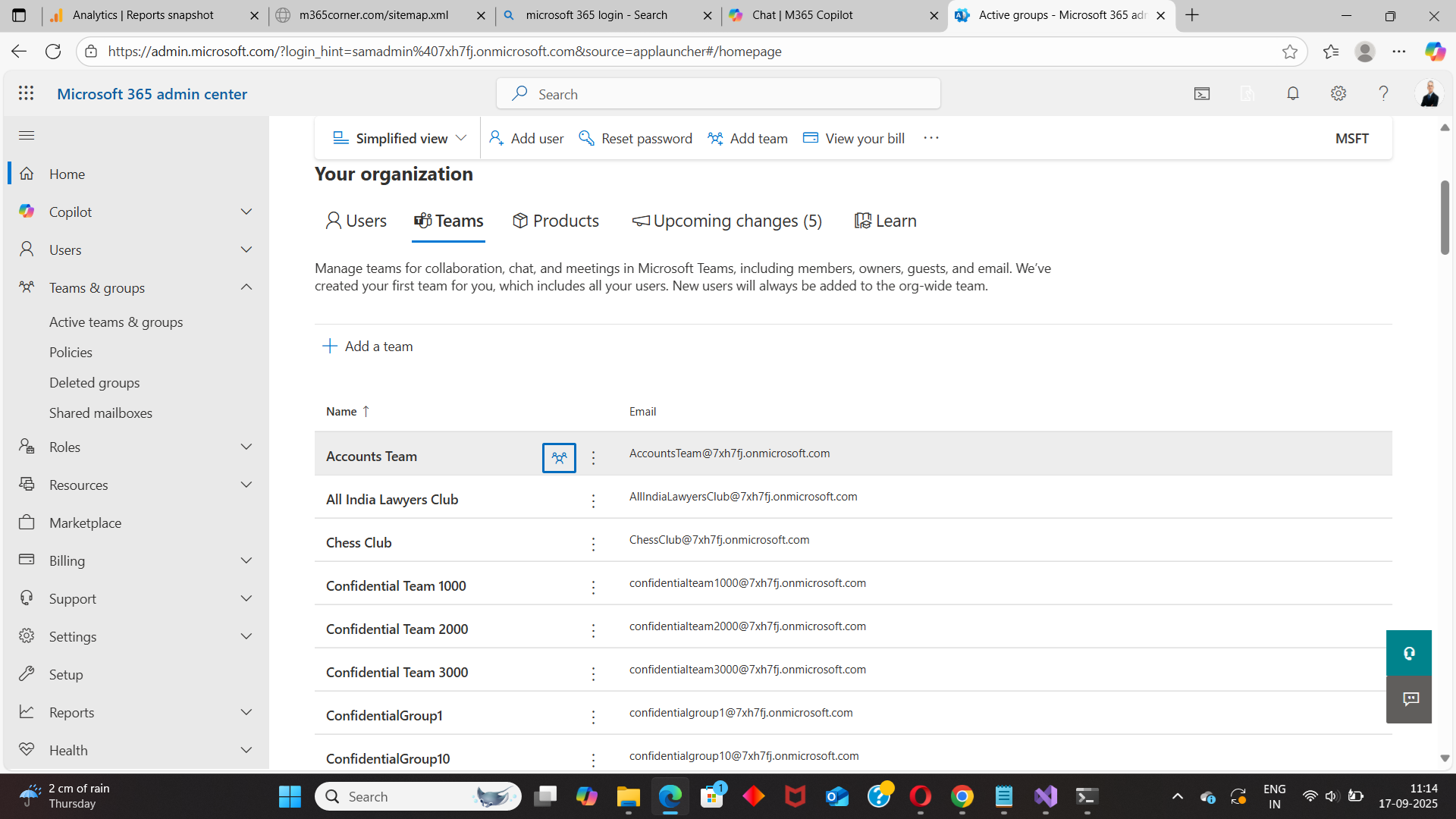
Because of these limitations, admins cannot easily track shared channel usage from this portal.
The Microsoft Teams Admin Center offers slightly better visibility but still falls short for reporting purposes.
Admins can:
However:
❌ Limitations
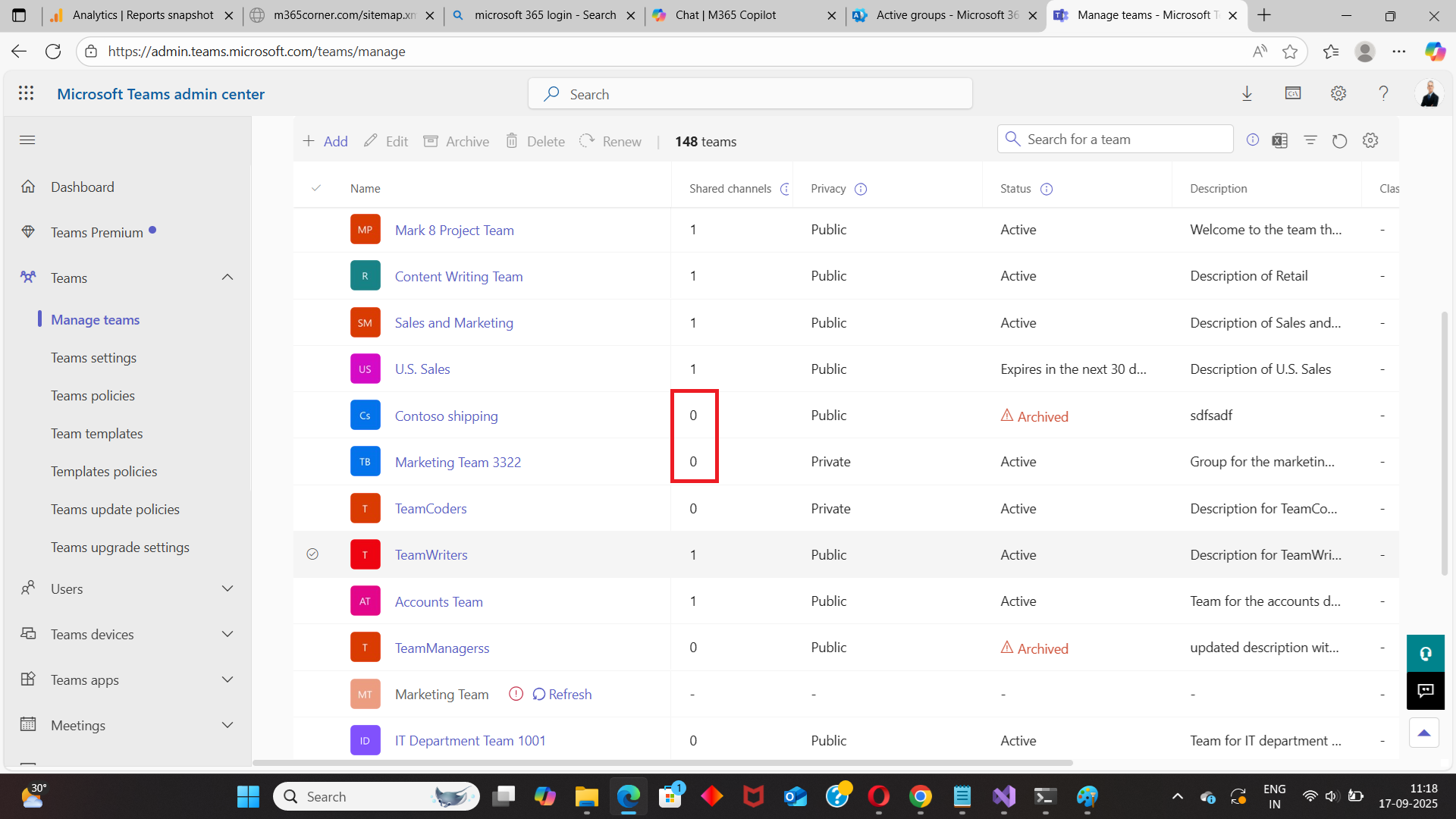
In large environments, this approach becomes inefficient.
Graph PowerShell can be used to identify Teams that contain shared channels by retrieving channel information and filtering by membership type.
Sample Graph PowerShell Script
# Connect to Microsoft Graph
Connect-MgGraph -Scopes "Group.Read.All","Channel.ReadBasic.All"

# Get all Teams-enabled groups
$teams = Get-MgGroup -All `
    -Filter "resourceProvisioningOptions/Any(x:x eq 'Team')" `
    -Property Id, DisplayName

$report = foreach ($team in $teams) {
    $channels = Get-MgTeamChannel -TeamId $team.Id -All -ErrorAction SilentlyContinue
    $sharedChannels = $channels | Where-Object { $_.MembershipType -eq "shared" }

    if ($sharedChannels.Count -gt 0) {
        [PSCustomObject]@{
            TeamName = $team.DisplayName
            TeamId   = $team.Id
            SharedChannelCount = $sharedChannels.Count
        }
    }
}

$report | Export-Csv "C:\TeamsWithSharedChannels.csv" -NoTypeInformation
🔎 What this script does
⚠️ Downsides of PowerShell
While powerful, this approach is not ideal for administrators looking for a quick report.
With the M365Corner Microsoft 365 Free Reporting Tool, generating the Teams With Shared Channels Report becomes effortless.
👉 You can generate the Microsoft Teams With Shared Channels Report at the click of a button.
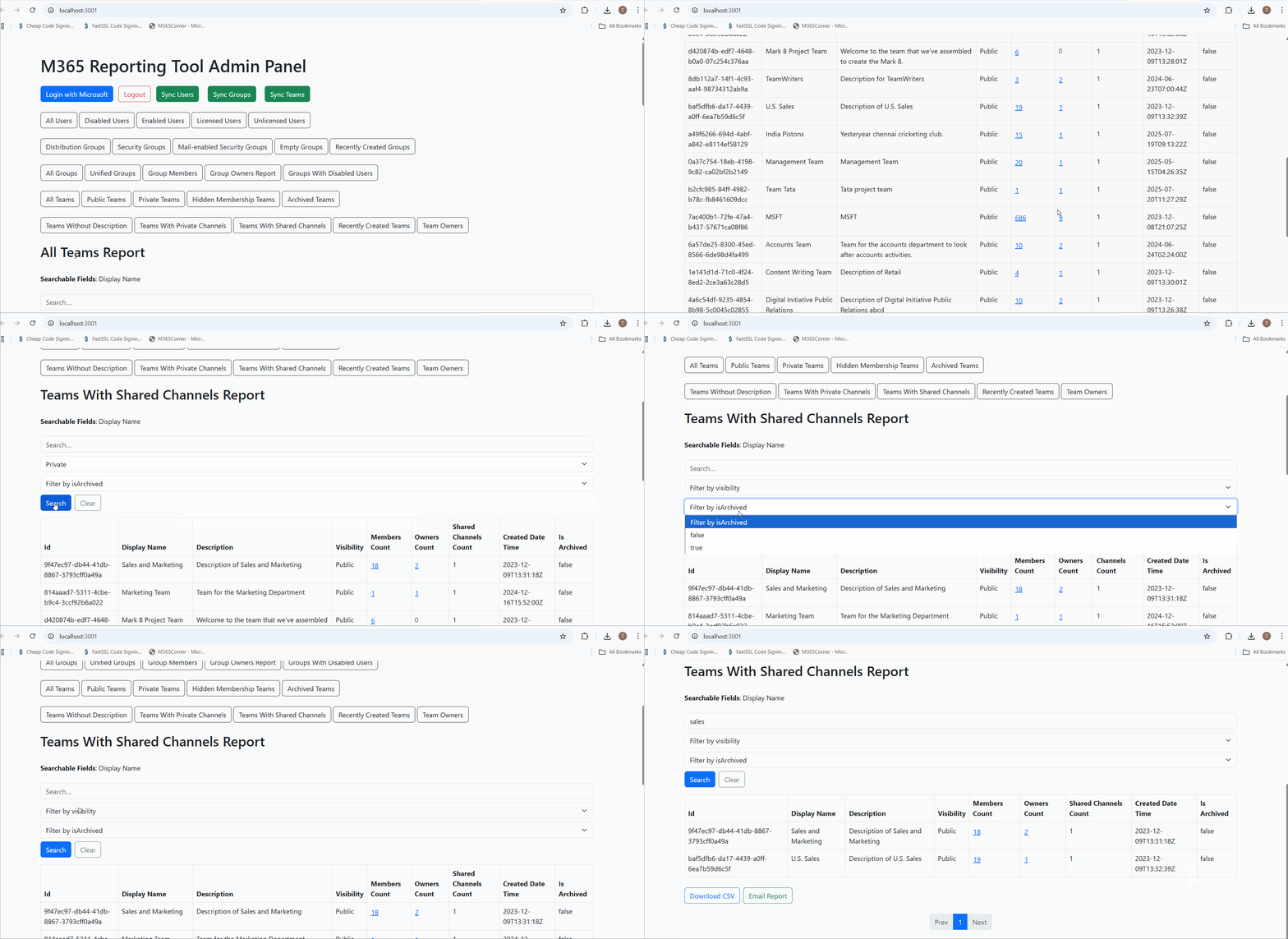
Why this helps admins
This dramatically quickens reporting, giving administrators instant insight into Teams using shared channels and helping them maintain governance and visibility.
Explore Teams With Shared Channels Report
- 🔗 Learn More About Teams With Shared Channels Report
- 🔗 Explore All Reports in the M365 Free Reporting Tool
- 🔗 Download the Community Edition
https://m365corner.com/m365-free-tools/microsoft-teams-with-shared-channels-report.html
Understand what the report includes and how it helps monitor shared channel usage.
https://m365corner.com/m365-free-tools/m365corner-reporting-tool.html
Discover all reports available in the M365 Free Reporting Tool.
https://github.com/m365corner/m365corner-reporting-tool-community-edition.git
Start using the M365 Free Reporting Tool Community Edition today.
Did You Know? Managing Microsoft 365 applications is even easier with automation. Try our Graph PowerShell scripts to automate tasks like generating reports, cleaning up inactive Teams, or assigning licenses efficiently.
Ready to get the most out of Microsoft 365 tools? Explore our free Microsoft 365 administration tools to simplify your administrative tasks and boost productivity.