How to Get Microsoft 365 User Sign-In Logs Without PowerShell
Monitoring user sign-in activity in Microsoft 365 is essential for maintaining security and visibility.
Whether you want to:
- Detect suspicious login attempts
- Track user access patterns
- Investigate login failures
👉 You need reliable access to user sign-in logs.
While Microsoft provides this data through Entra ID, extracting meaningful insights isn’t always as simple as it should be.
The Challenge with Native Sign-In Logs
To retrieve user sign-in logs using the default approach, admins typically need to:
- Navigate to the Entra Admin Center
- Access Sign-in Logs
- Apply filters manually
- Review the results
In practice, this comes with a few challenges:
- You cannot easily separate successful vs failed logins in a simple, intuitive way
- Filtering specific users requires multiple steps
- Results can feel cluttered with excessive data
- Exporting and sharing logs requires downloading files first
👉 For routine monitoring, this process can quickly become inefficient.
A Simpler Approach Is Coming Soon
If you’ve ever wished for a faster way to access clean, filtered sign-in data — you’re not alone.
At M365Corner, we’ve been working on a free Microsoft 365 reporting tool designed to simplify how admins access and analyze sign-in logs.
👉 The goal:
Make sign-in reporting quick, clear, and actionable — without scripting or complex filtering.
How This Will Work (Preview)
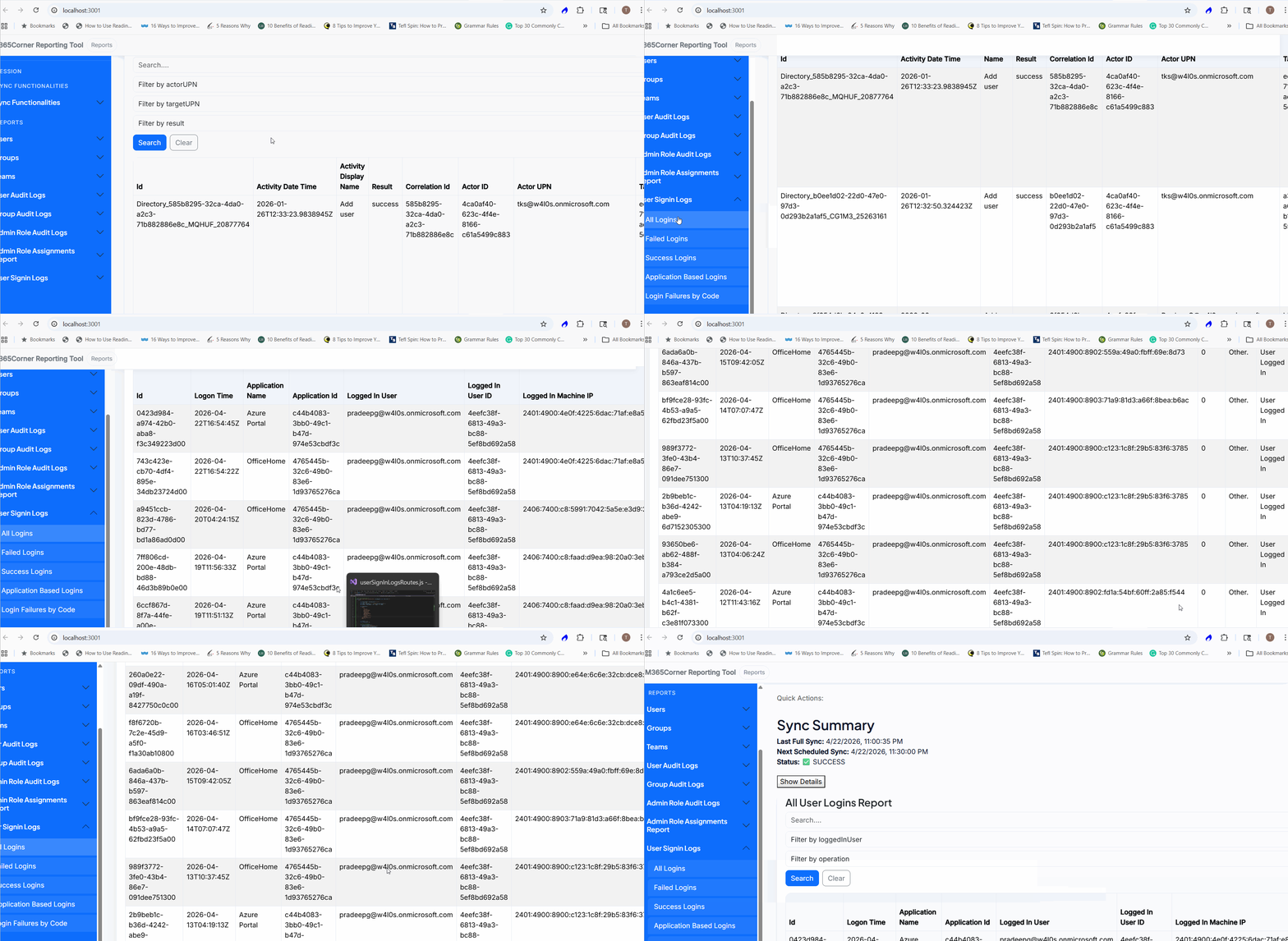
Once released, generating a User Sign-In Logs report will be as simple as:
- Go to User Sign-In Logs
- Click on All Logins Report
- The report is generated instantly
No exporting. No extra steps.
What the Report Will Provide
👤 Filter by User
- Fetch logs for a specific user
👉 Quickly investigate individual user activity
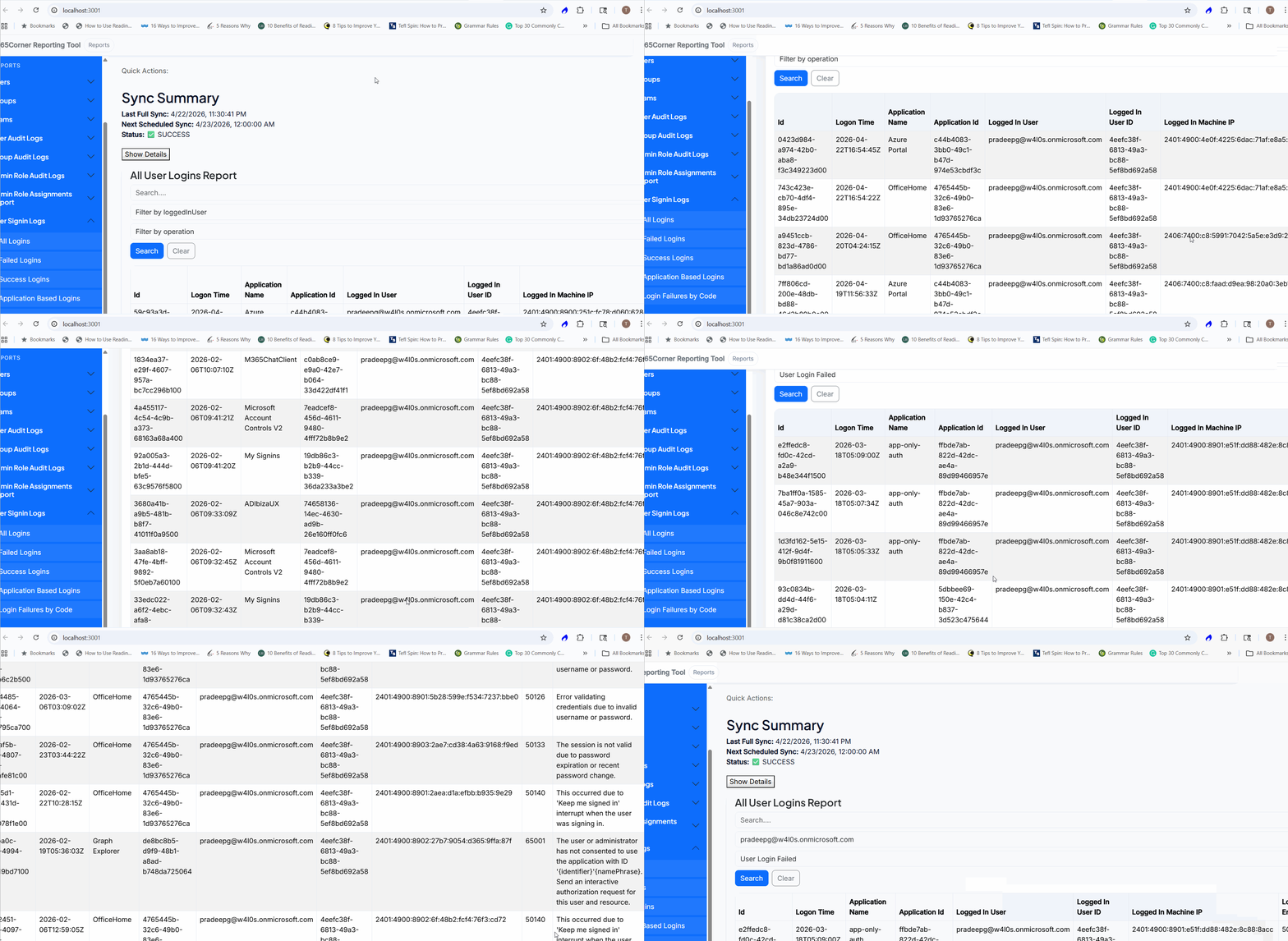
🔍 Filter by Operation
- Successful logins
- Failed logins
👉 Easily isolate suspicious or failed login attempts
🧾 Clean, Focused Output
- Displays only essential information
- Reduces clutter compared to raw logs
👉 Helps you act faster without digging through unnecessary data.
Important Note: Data Sync
To generate accurate reports, the tool will sync with your tenant data.
You can choose:
- 🔄 Automatic Sync → Runs every 30 minutes
- 🖱️ Manual Sync → Trigger when needed
👉 Once synced, reports can be generated instantly.
Native Method vs What’s Coming
| Task | Native Approach | Upcoming Tool |
| Access logs | Multiple steps | Single screen |
| Filter success/failure | Limited usability | One-click filter |
| Filter by user | Manual steps | Direct selection |
| Share logs | Export required | Direct usability |
👉 What currently takes time and effort will soon take just seconds.
Why This Matters
Efficient access to sign-in logs helps you:
- Detect suspicious activity faster
- Troubleshoot login issues quickly
- Improve overall tenant security
- Reduce manual effort
Our Microsoft 365 free reporting tool can simplify this process significantly.
Final Thoughts
Microsoft Entra provides powerful sign-in data — but accessing and filtering it shouldn’t slow you down. With our upcoming M365Corner Free Reporting Tool, sign-in log reporting is set to become faster, cleaner, and easier to manage.
If you’re looking for a free Microsoft 365 reporting tool that simplifies sign-in tracking without PowerShell, this is something worth watching.
Did You Know? Managing Microsoft 365 applications is even easier with automation. Try our Graph PowerShell scripts to automate tasks like generating reports, cleaning up inactive Teams, or assigning licenses efficiently.
Ready to get the most out of Microsoft 365 tools? Explore our free Microsoft 365 administration tools to simplify your administrative tasks and boost productivity.